Stadium display · Live control · Show editor
Your match.Your show.
Scorilo turns the monitor or LED wall at your ground into a stadium display: score and clock, goals, cards and substitutions, line-ups and player intros. Prepared in peace, live with one click.

Features
Everything for match day. In one app.
From the kick-off countdown to the half-time info board: Scorilo connects the controls at the touchline with what everyone in the ground sees.
Run the match
Clock, goals, corners, fouls, cards and substitutions with one click. The display follows instantly.
Run the match: Learn moreCreate the show
Slides, animations and sequences in a built-in editor, with a timeline and placeholders for match data.
Create the show: Learn morePresent your players
The line-up as a camera flight across the pitch, with number, name, position and photo.
Present your players: Learn morePrepare
Import the match from DFBnet or set it up by hand, plan the line-up, build the programme.
Prepare: Learn more
- Runs locally – no cloud, no account
- For macOS and Windows
- Automatic updates
- Match state saved, even after a crash
- Remote control from a phone
Showcase
A match day in Scorilo.
Five areas, one flow: from preparation to the final whistle.
Preparation
Everything for this match in one place.
Teams with logos and colours, match timing, squad and line-up. A dot marks every area with unsaved changes.
Preparation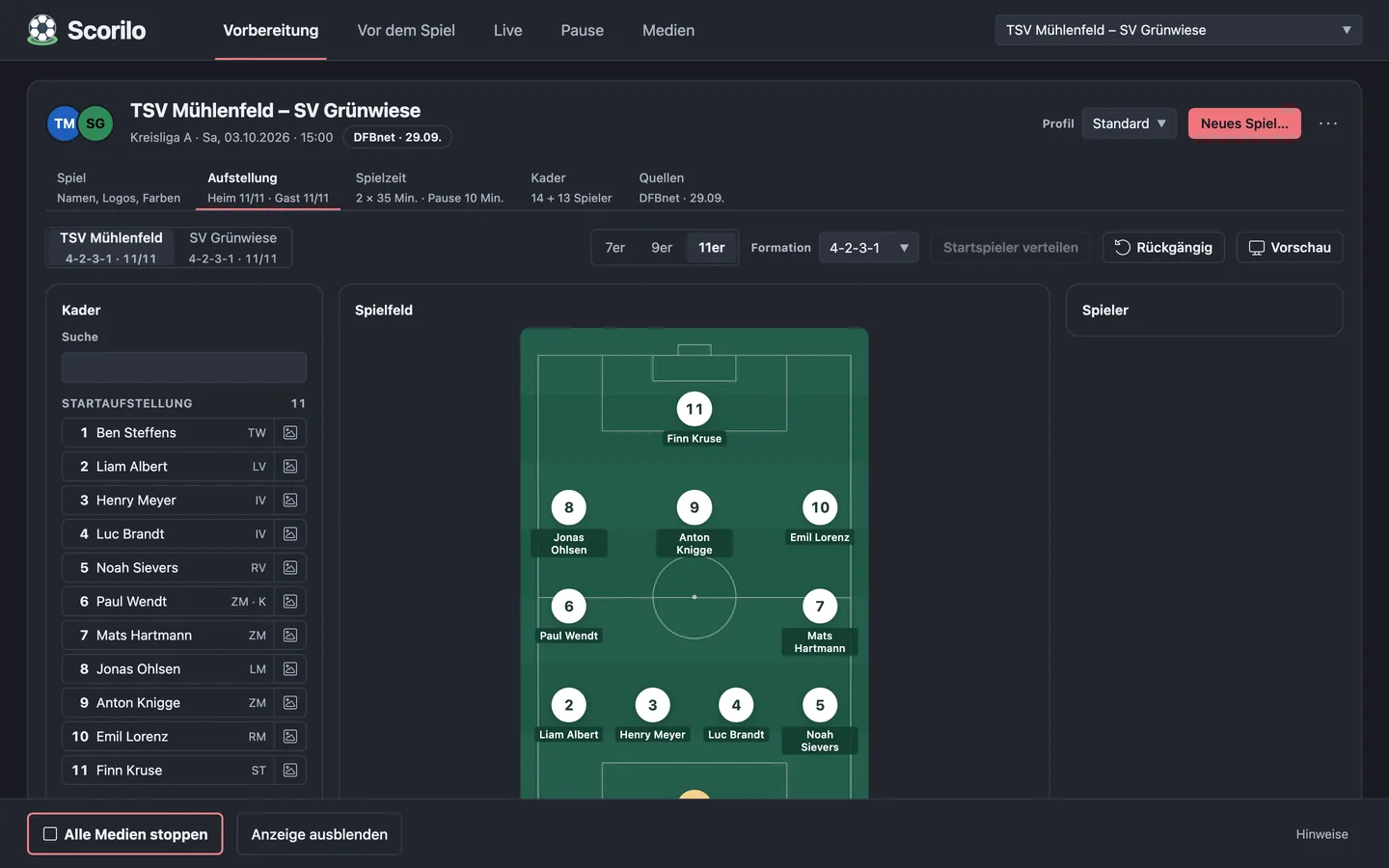
Before the match
The programme up to kick-off.
Welcome, sponsors, warm-up video and kick-off countdown as a display programme, plus music and a ready check that shows what is still missing.
Before the match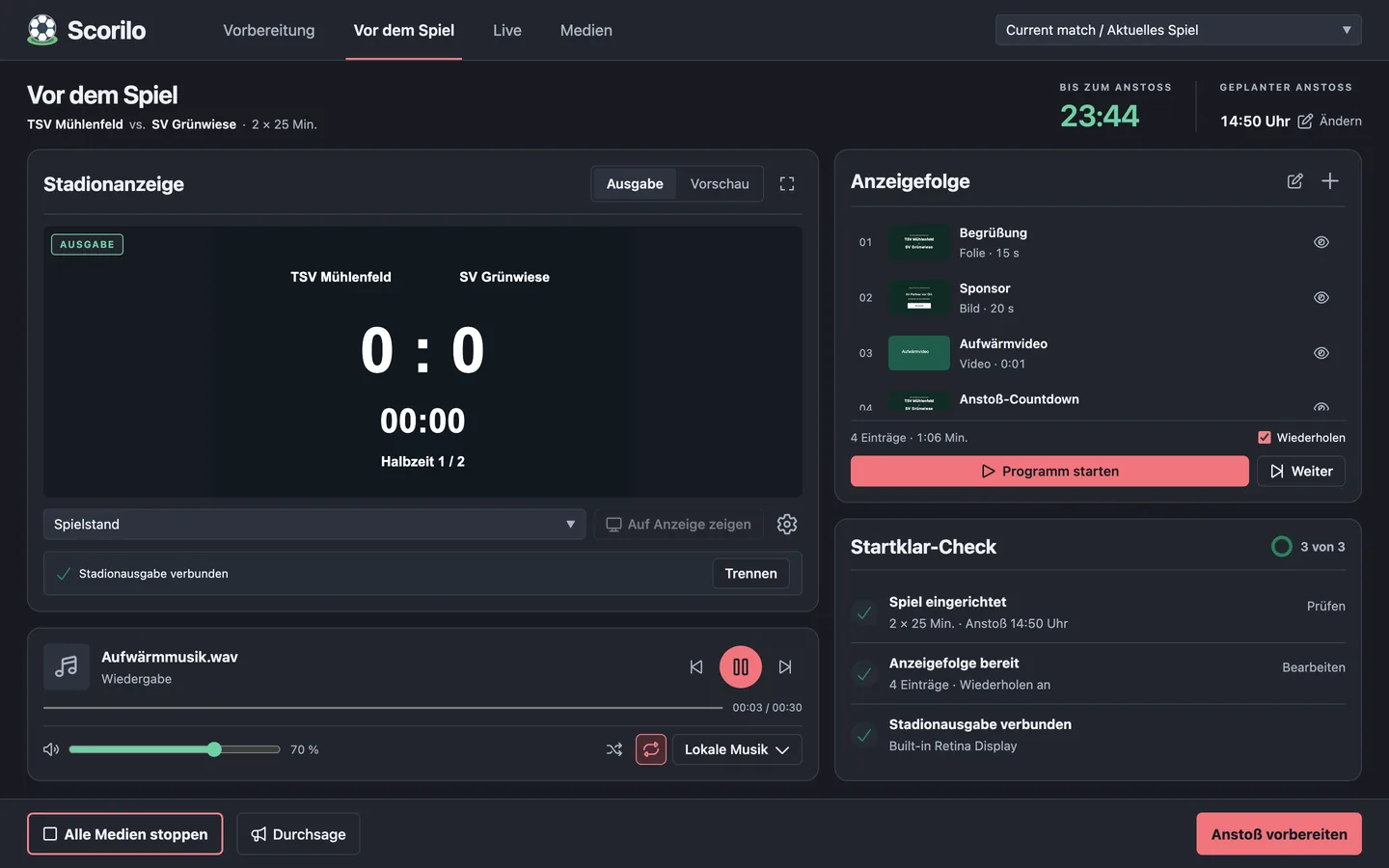
Live
The match in your hands.
Score, clock and match actions, next to the stadium output preview, quick media and stadium sound.
Live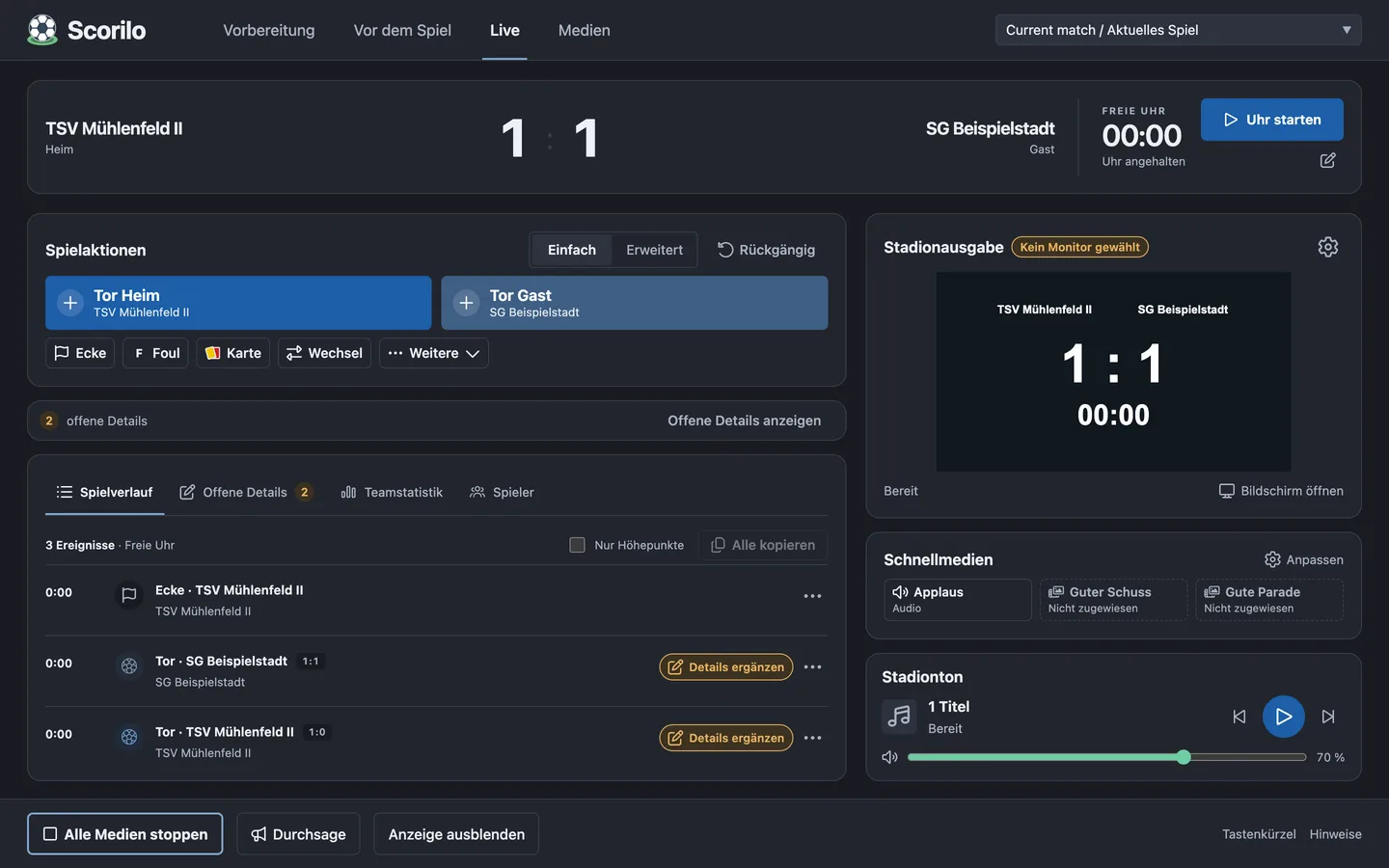
Break
Half-time is ready.
After the half-time whistle Scorilo switches to the break: a programme with the score, weather and attendance, break music and a countdown to the restart.
Break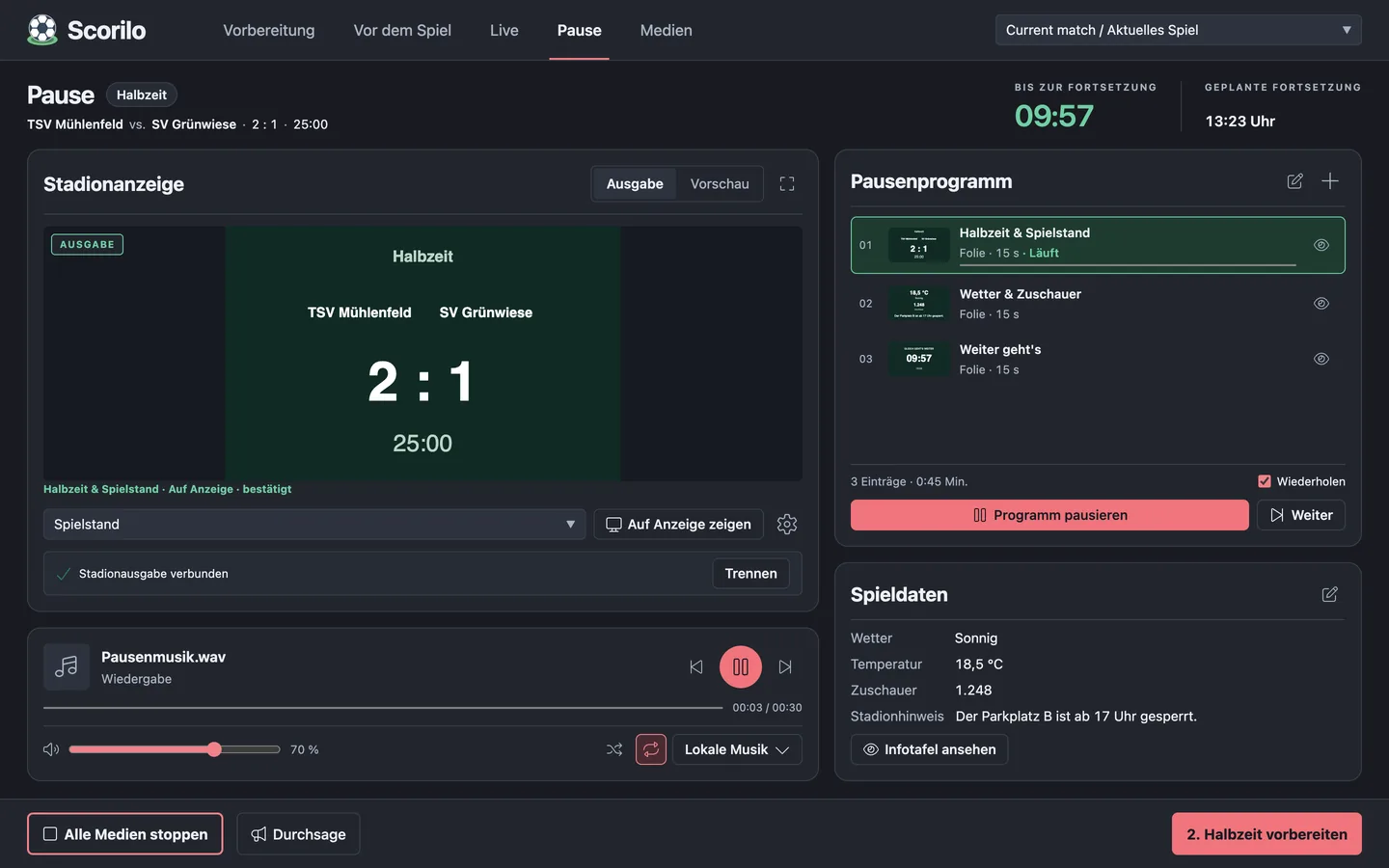
Media
One library for everything.
Images, videos, audio, slides, animations and sequences – with collections, favourites and search.
Media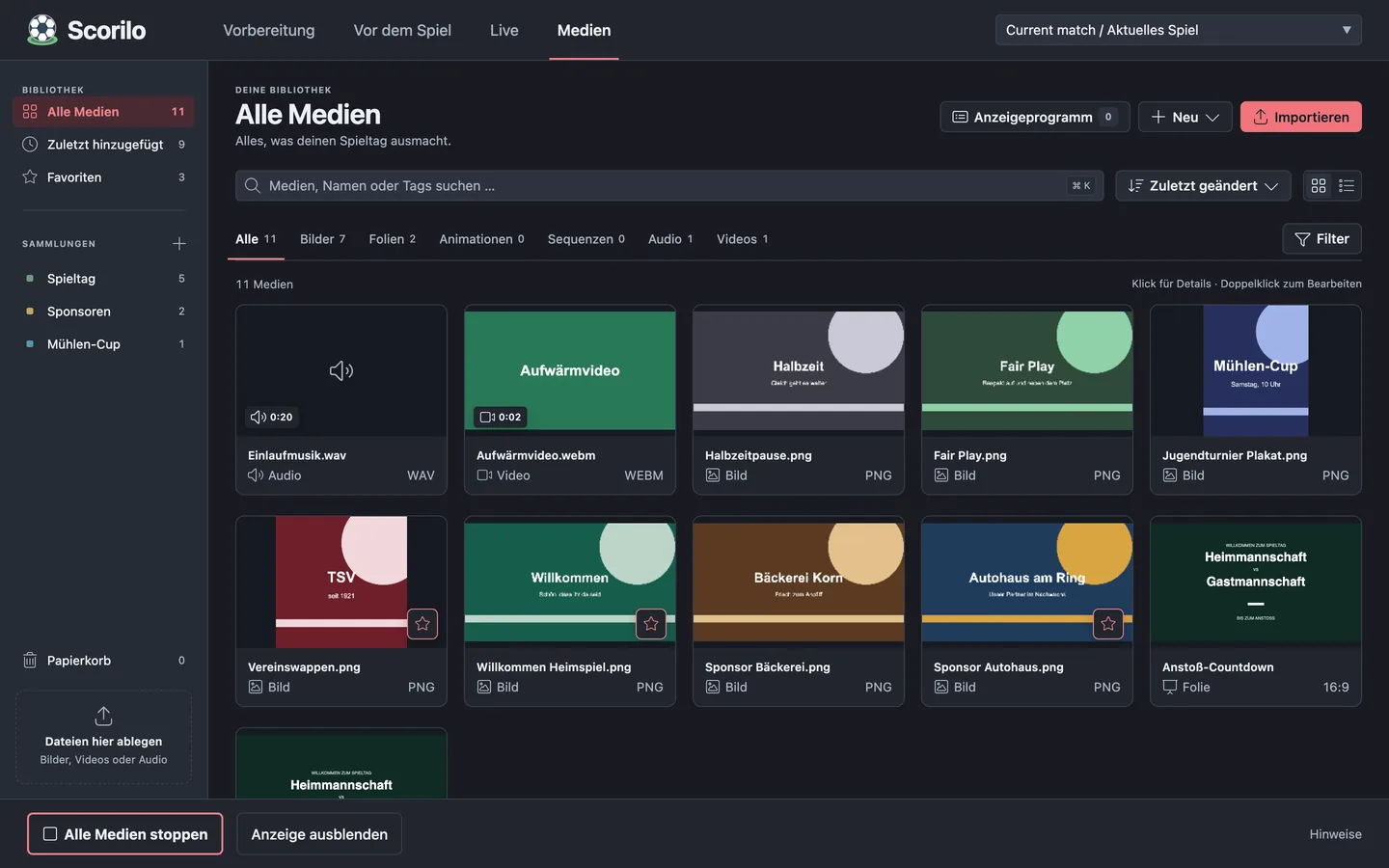


Live
Full control. With one click.
The Live view brings together everything that matters during the match: large buttons, clear states and keyboard shortcuts. A wrong click is quickly fixed with “Undo”.
Score and clock
Start, stop and correct the clock – for halves, thirds, quarters or as a free-running clock.
Match actions
Goal, corner, foul, card, substitution and more, quick or with every detail.
Stadium output
The preview shows what is on the display right now.
Quick media
Goal celebrations, clips and jingles at the press of a button.
Match log
Every event with its minute – copy it as a live ticker, also worded for WhatsApp.
Stadium sound
Music with a volume control. An announcement lowers it automatically.
Stop all media
One click ends music, videos and animations. The display shows the score again.
Scorilo Remote
Pair a phone with a QR code. Goals, the clock and media buttons can then be operated from the touchline too – or the phone just follows the match. The remote control is served by Scorilo on your local network, not from the internet.

Goal flow
From click to display in seconds.
A goal counts the moment you click. You add the details while the crowd is still celebrating.
Click the goal
One click on the home goal button counts the goal. Score and stadium display are up to date at once.
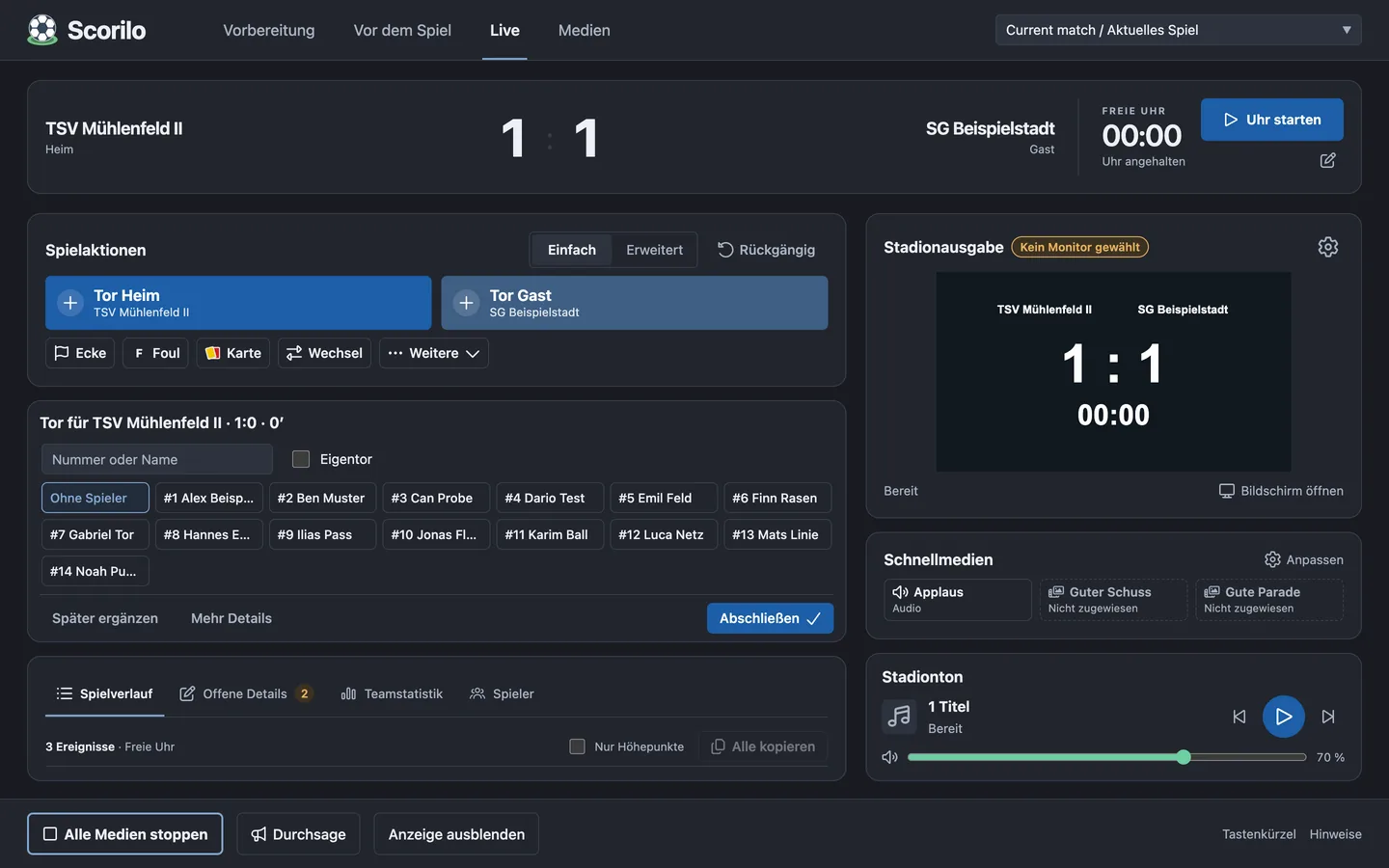
Pick the scorer
Choose the player by number or name, mark an own goal – or add it later.
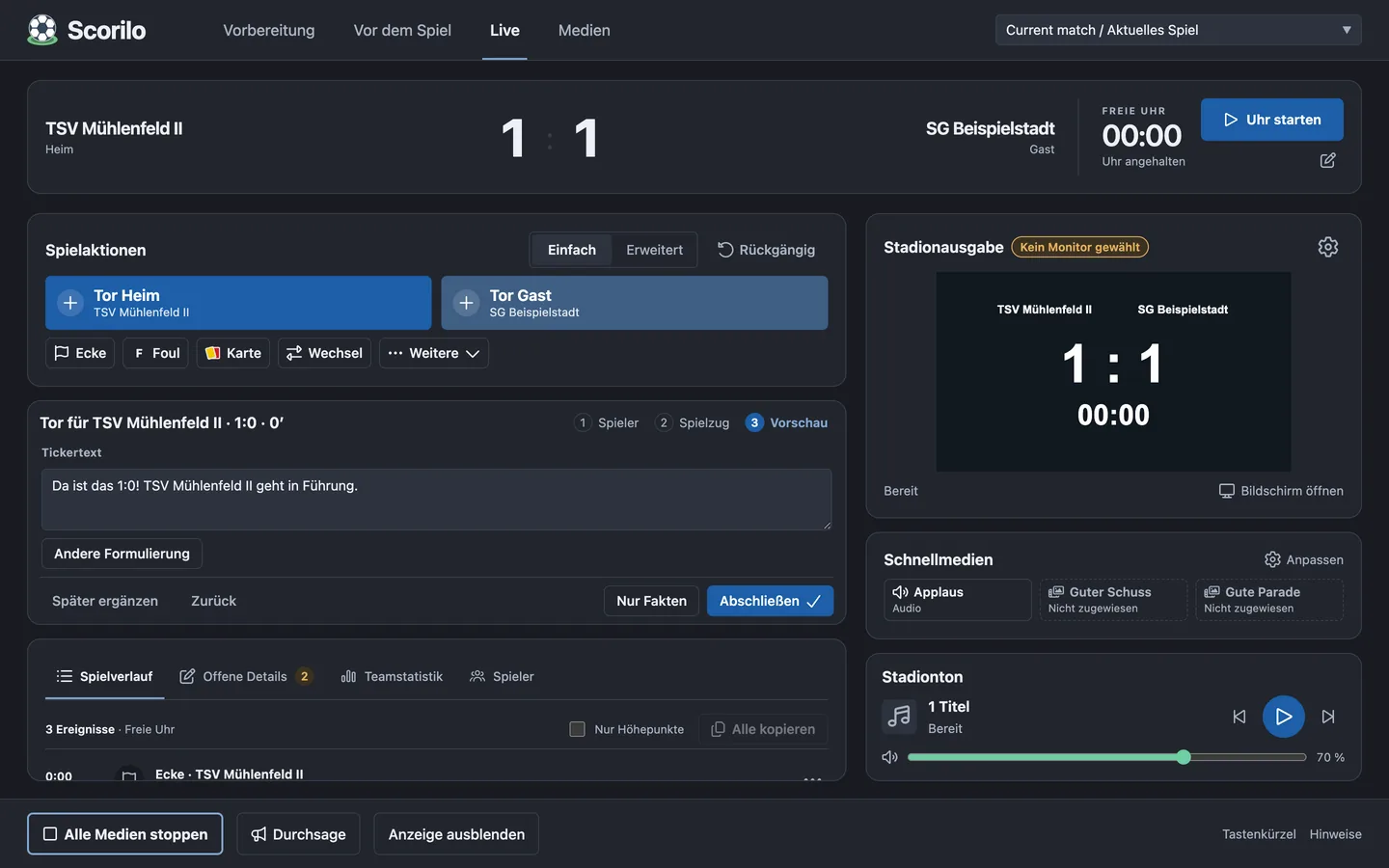
Take the ticker text
Scorilo suggests a ticker line. Ask for another wording to get a new variant.
The display celebrates
A media button starts the goal celebration. If a goal scene is set up, the display then shows the scorer automatically – and returns to the score.


Show editor
Design what the ground sees.
Slides, animations and sequences are made in the Scorilo editor: elements and layers, timeline and preview. Placeholders fill in team names, logos, kick-off time and line-up on output.

Animation editor with the “Red Light Tunnel” player intro template From Scorilo 3.2

Timeline
Animations and sequences with a timeline, preview and snapping.
Templates
Welcome, kick-off countdown, the line-up camera flight and a ticker band as starting points.
Match slide
Design the scoreboard layout freely: clock, period, title and club logos.
Media library
Everything in one place, with collections, favourites and a bin.
Audio analysis
Waveform, beats and tempo of every audio file in the media details.
Keyframes and camera From Scorilo 3.2
Animate opacity, scale, rotation and blur, use shapes and masks, fly a camera through depth layers.
Players & line-up
Every player gets their moment.
Plan the starting eleven on the pitch and show it as a camera flight: Scorilo introduces each player with number, name, position and photo and ends with the formation and the bench.
Line-up planner
7-, 9- and 11-a-side with formations. Scorilo can place the starters for you.
Photos and call names
Player photos from the squad, with full names or call names.
Consent
Players without consent to be published never appear on the display – essential in youth football.
Club colour
The club’s colour becomes the accent of the animation.

Final view of the camera flight with the bench
Preparation
Ready before kick-off.
A guided flow creates a new match – from DFBnet or by hand. Teams, timing, squad and line-up then sit in tabs, and the ready check shows what is still missing.
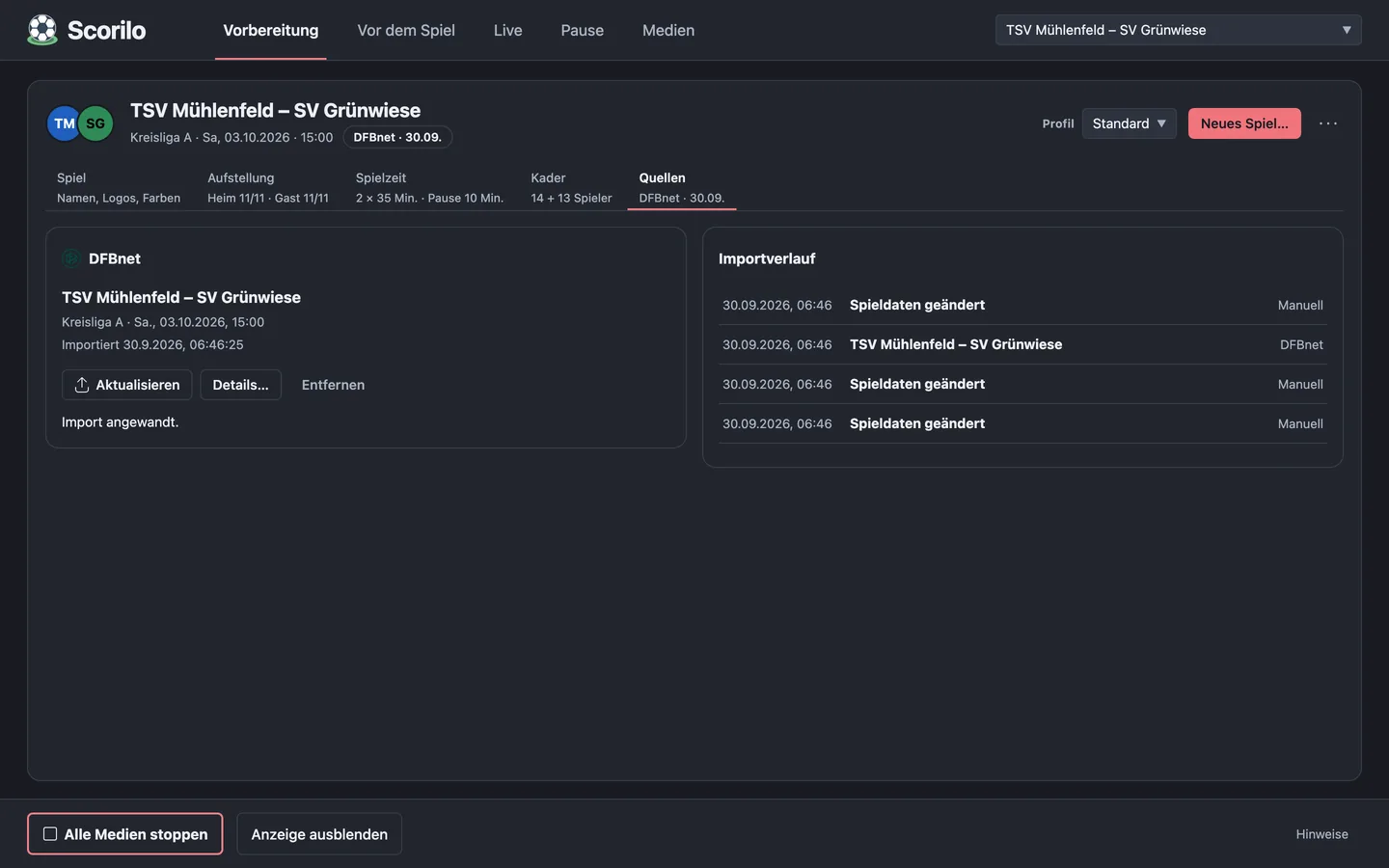
Import from DFBnet
Search the match in DFBnet, the German FA’s online platform, check the preview, import: teams, logos, players and kick-off come along. Every field shows where it came from.
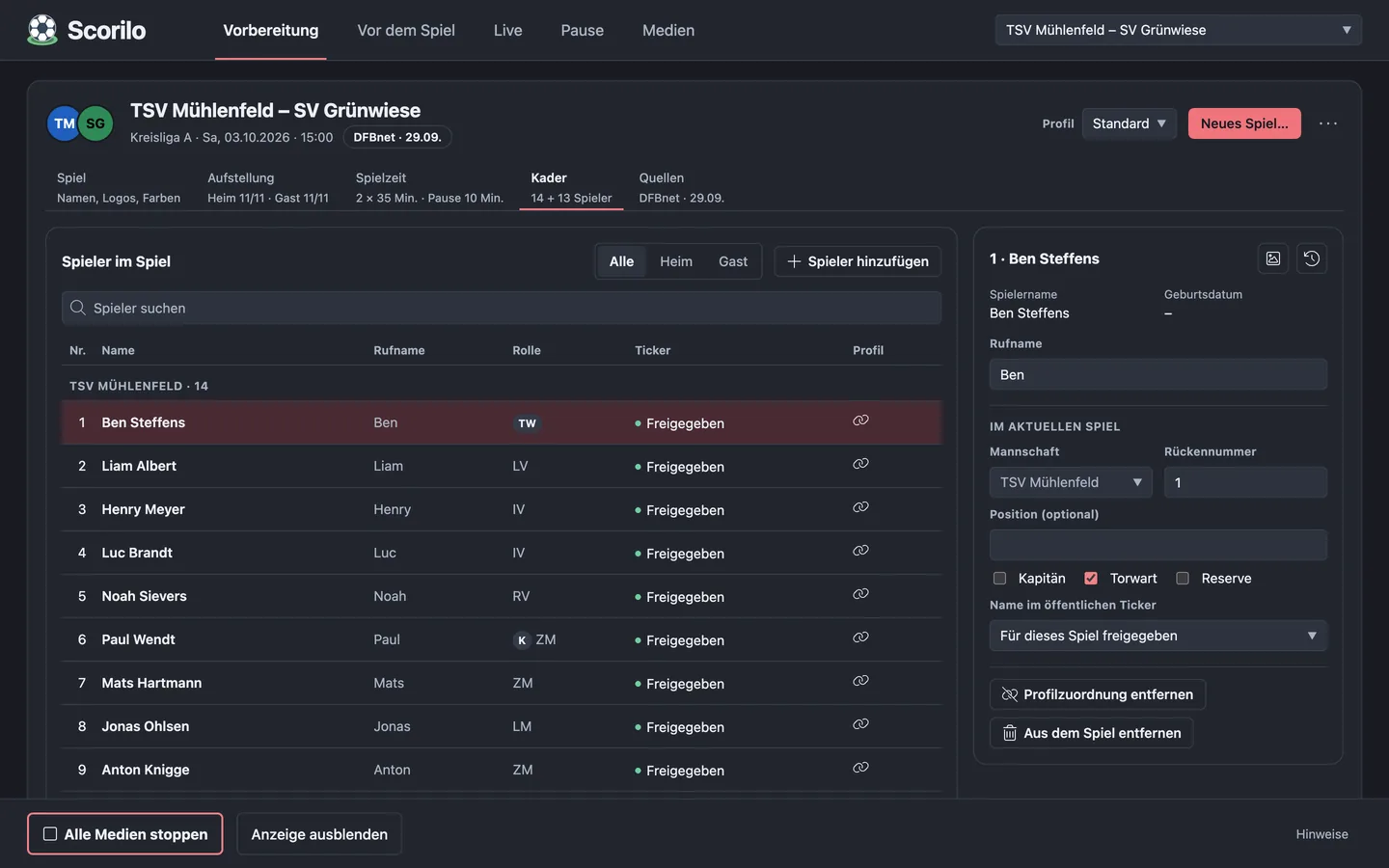
Squad and timing
A player list with numbers, positions and photos. Halves, thirds, quarters or custom periods; stoppage time is measured.
Programme and music
A display programme with crossfades, music from local files or, on macOS, from Apple Music. An announcement lowers the music automatically.


Animations
Graphics that move the ground.
Everything here is real Scorilo output, recorded from the stadium display – with sample data.
“Red Light Tunnel” player intro From Scorilo 3.2
The player steps out of a red light tunnel, with shirt number, first and last name. In the programme it can run for every player in turn.
Line-up as a tactics board From Scorilo 3.2
The camera glides over the grass and rises until the formation stands as a tactics board with the bench.
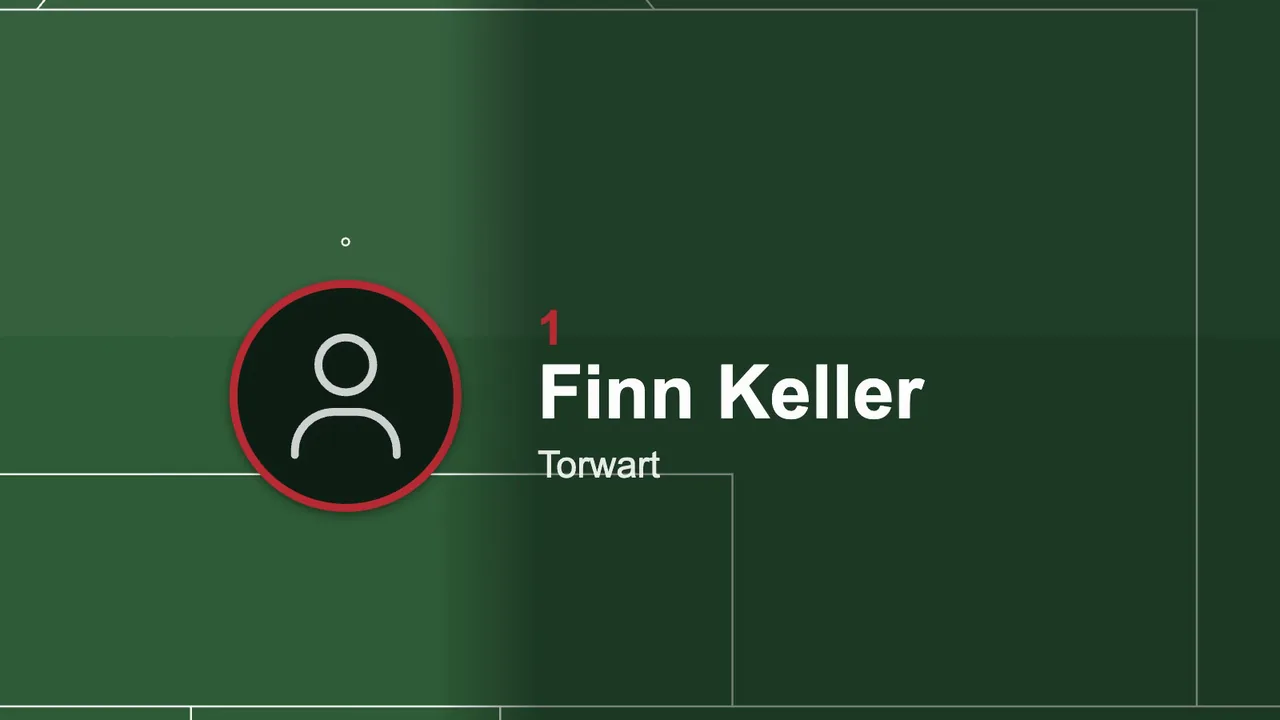
Close-up in the camera flight
Every starter fills the frame, with number, name and full position.
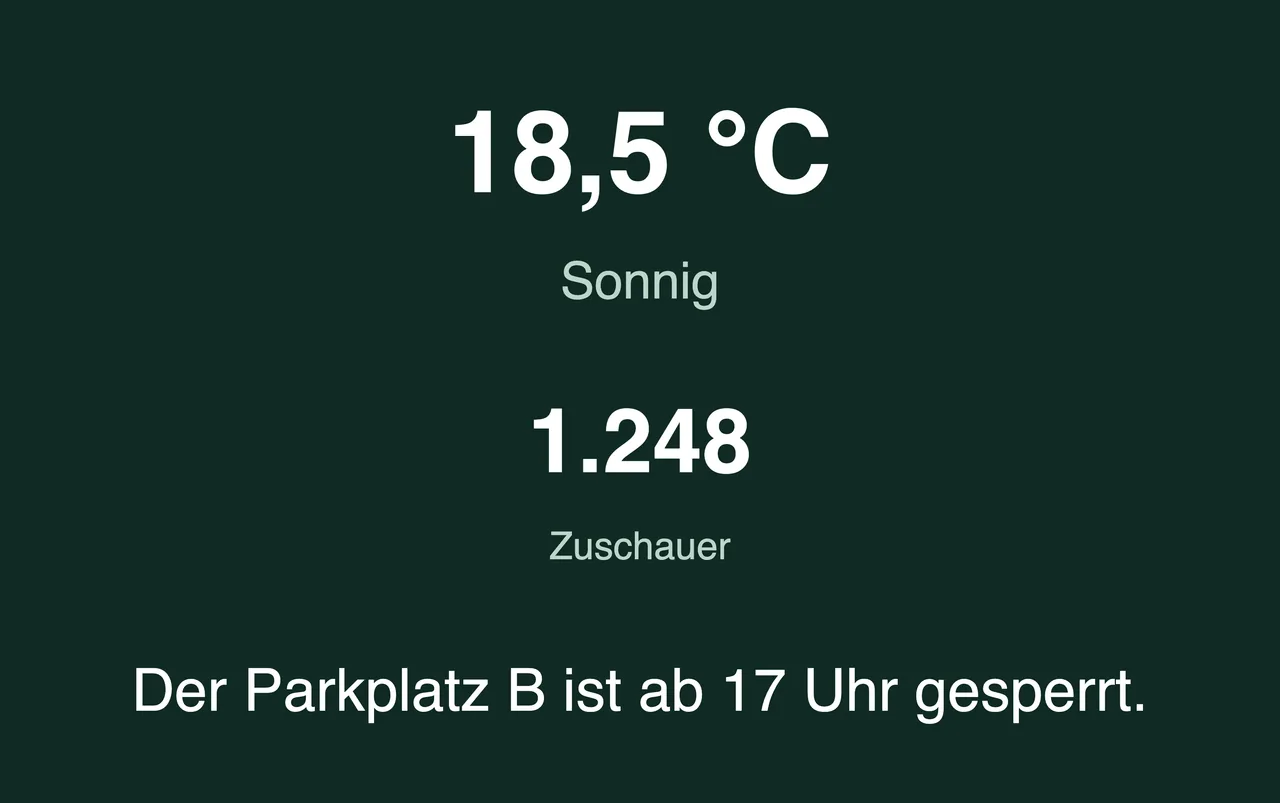
Half-time info board
Weather, attendance and ground notices as a slide in the break programme.


How it works
Match day in three steps.
Prepare the match
Set up teams, players, line-up, media and timing – or import the match from DFBnet.
Create the show
Pick templates or build your own slides and animations, set the programme and the media buttons.
Run the match
Connect the display, start the clock, count the goals. The graphics run at the press of a button.
 Scorilo
Download
Download Scorilo.
Install it, connect a monitor or LED wall, and go. Scorilo downloads new versions by itself.
All downloads
macOS
macOS 13 (Ventura) or later
Windows
Windows, 64-bit
Scorilo downloads new versions in the background; they install when you click.